Hot Desks. Flexible seating, claimed by the day.
Day-pass seating off a real desk inventory. Members filter to the neighbourhood and the amenities they need, claim a seat for the day in one tap, and your team runs the day from a single booking list.
1 tap
to claim a desk for the day
1 list
holds every booking for a date
$0
add-on cost — included in core
Capabilities
Everything the module does
Hot Desks gives your space flexible day-pass seating. Keep an inventory of desks with their neighbourhood and amenities, let members claim seats by the day, and run each day from a booking list. Useful for coworking floors, hybrid offices, and any space where seating isn't permanently assigned.
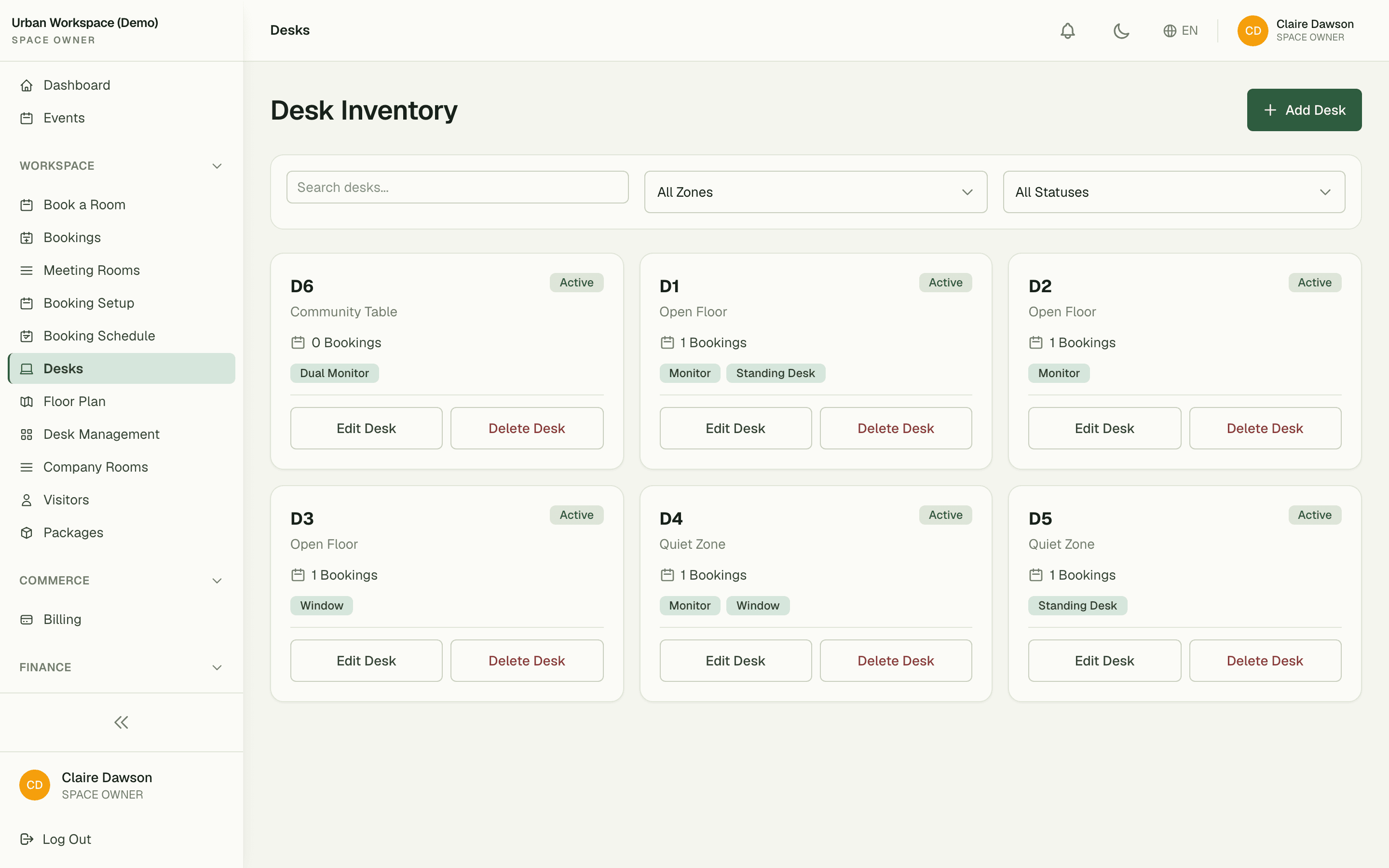
Desk inventory
Add each desk with a label, neighbourhood, and any required amenities.
Desk bookings
Members claim a desk for the day or for recurring days of the week.
Booking list
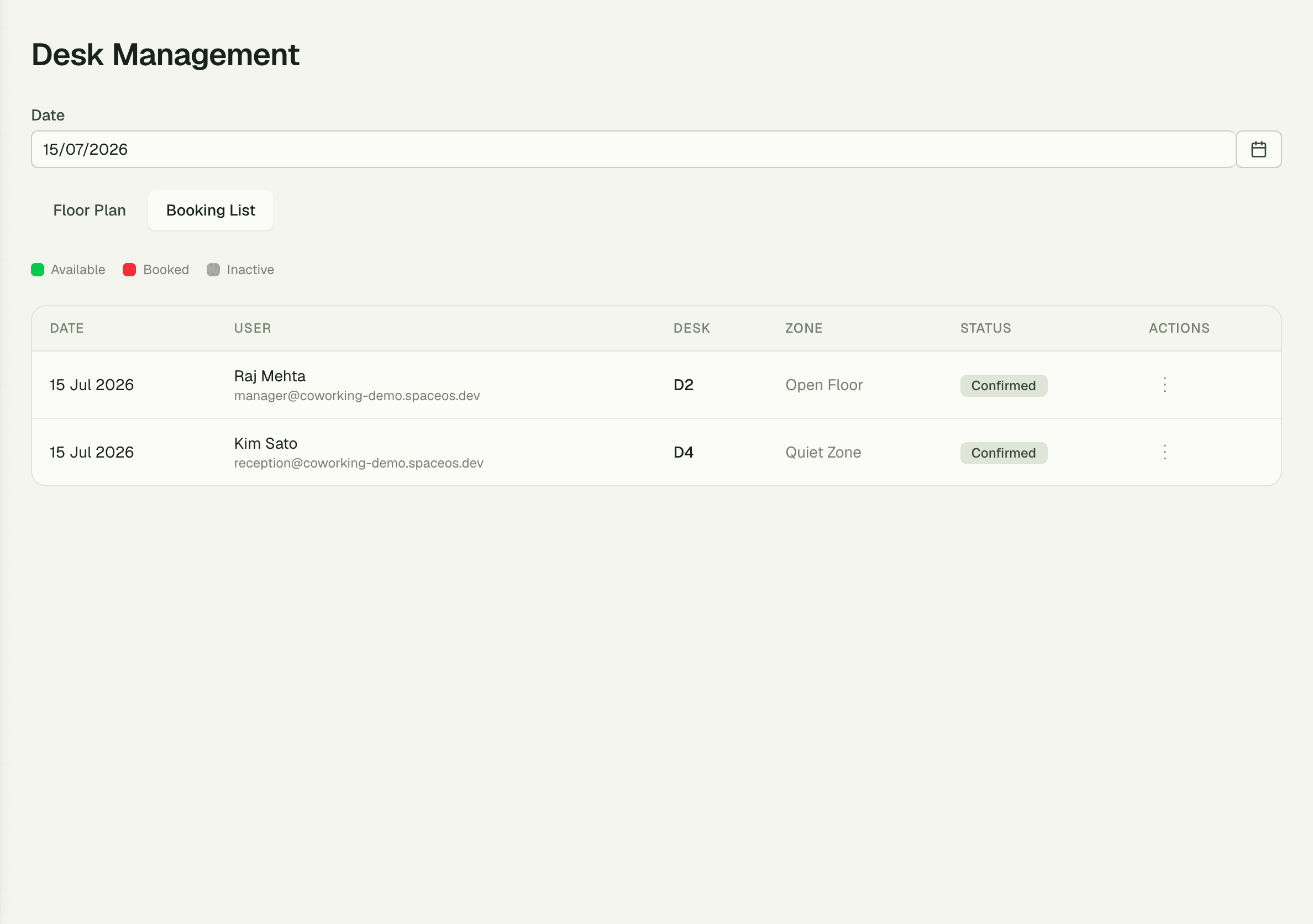
Every booking for a date with occupant, desk, zone and status, and cancel or no-show on the row.
No-show controls
Auto-release a desk if the member doesn't check in within a configurable grace period.
01
Every desk, with what's on it
Build the inventory once: a label, a neighbourhood like Open Floor or Quiet Zone, and the amenities that actually decide where somebody sits — monitor, standing desk, window seat. Members filter on exactly those, so the shortlist they book from is already the desks that suit them.
- Desks grouped by neighbourhood with labels and amenities
- Filter by zone or by amenity before you pick
- Out-of-service desks are marked, never offered
02
Claim a seat for the day
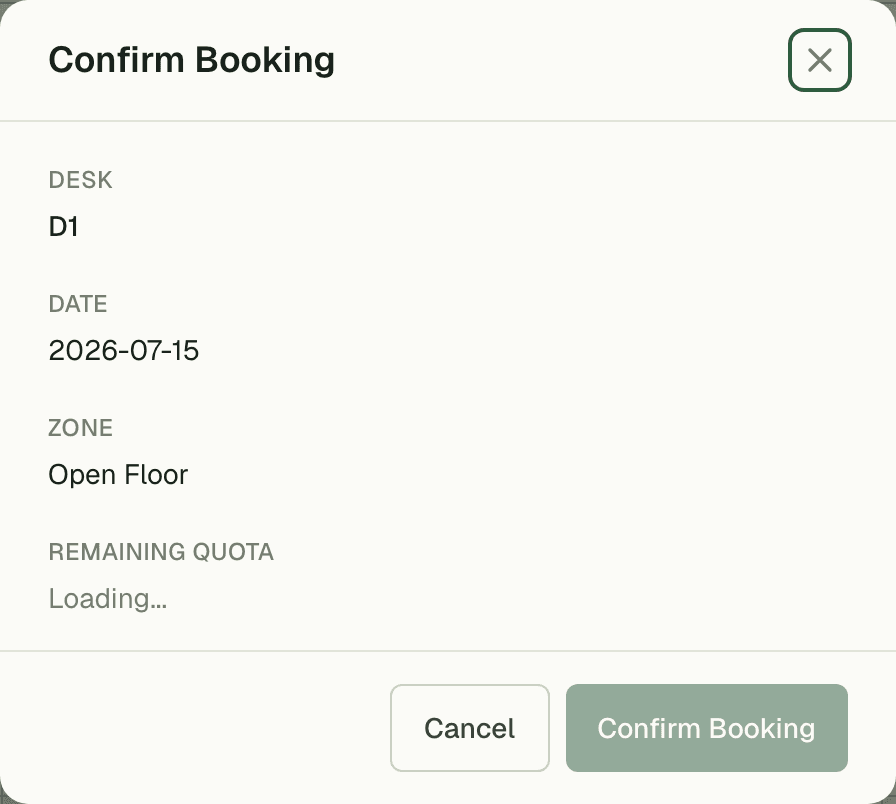
Pick a date, pick a desk, confirm. Single-day claims or recurring weekday bookings, with the member's own bookings on one tab they manage themselves — no front-desk request, no spreadsheet, no double-booked seat.
- Single-day claims or recurring weekday bookings
- Members cancel and rebook their own seats
- A desk already taken for that date cannot be claimed twice
03
No-shows release themselves
Booked a desk and never turned up? After a configurable grace period, the seat auto-releases back to the pool — no front-desk chasing, no ghost-town floor that's "fully booked" on paper. Your busiest desks stay earnable all day.
- Configurable check-in grace period per space
- Unclaimed desks return to the bookable pool automatically
- Booking list view for admins to audit and override
“Our members used to wander three floors looking for a seat. Now they claim one from their phone before they've left the train, and the booking list ended the morning desk scramble at the front desk.”
Priya Raman
Operations Manager, Urban Workspace
FAQ
Common questions
How do members know which desk to pick?
Each desk carries its neighbourhood and its amenities — monitor, standing desk, window seat — and members filter on both before they book. Desks already taken for that date, or out of service, are marked rather than offered.
What happens if someone books a desk and doesn't show up?
No-show controls auto-release the desk after a grace period you configure. The seat goes straight back into the bookable pool for walk-ins.
Can members book the same desk every week?
Yes — members can claim a desk for a single day or set recurring bookings for the weekdays they're in. Admins can cap or override recurring claims at any time.
Works better together
One need, one module
Every module shares the same customers, catalog, and books — switch one on and it plugs into everything you already run.
Switch on Hot Desks today.
It plugs straight into the customers, catalog, and billing you already run on SpaceOS.
Free to start · No credit card required · Cancel anytime